Section 06 of 09
Dashboards and reporting
Tools behind this sectionWeb, data and analytics tools
How the site is built and deployed, how data is collected, and where it is read.
GA4
- What it does
- Web and app analytics.
- How I use it
- Site behaviour and conversions, fed by both the browser tag and server-side events with the same IDs.
- For a developer
- Shows which pages and projects actually move visitors to enquire.
Google Tag Manager
- What it does
- Tag deployment without code releases.
- How I use it
- Pixel and conversion tags, UTM rules and the split between thank-you page and WhatsApp clicks.
- For a developer
- Tracking changes go live the same day, without a developer ticket.
Stape and Conversions API
- What it does
- Server-side tagging and server events.
- How I use it
- Meta CAPI, TikTok Events and Snapchat CAPI, de-duplicated with the browser pixel; later moved to the site’s own Worker and n8n.
- For a developer
- Conversions are not lost to ad blockers or browser limits, so the ad platforms optimise on more data.
Astro
- What it does
- Static site framework.
- How I use it
- The company site and this portfolio: bilingual pages, fast by default, built on every push.
- For a developer
- Fast project pages that pass Core Web Vitals and convert better on mobile.
Cloudflare Workers
- What it does
- Edge hosting and serverless functions.
- How I use it
- Hosts the site and the small API: lead endpoint with Turnstile, event beacon, WhatsApp short links, payment-sheet rendering, Access login for the ops console.
- For a developer
- Low hosting cost, global speed and bot protection on every form.
GitHub
- What it does
- Code hosting and version control.
- How I use it
- Every site change is a commit; a push to main deploys; any change can be rolled back.
- For a developer
- A clear history of what changed on the site and when.
Looker Studio
- What it does
- Dashboards on Google data.
- How I use it
- Channel and campaign reporting on GA4, Ads and Sheets data.
- For a developer
- Management sees the same numbers every week without asking for exports.
Power BI
- What it does
- Business intelligence dashboards.
- How I use it
- Spend, lead and sales dashboards at Imkan that guided budget allocation.
- For a developer
- Budget moves to the projects and channels that bring buyers.
Metricool
- What it does
- Social media scheduling and analytics.
- How I use it
- Schedules approved posts to Instagram, Facebook, TikTok and YouTube from drafts, then reads their reach.
- For a developer
- A steady posting rhythm with an approval step and one place for organic results.
Apify
- What it does
- Hosted scrapers and data actors.
- How I use it
- Collects public competitor ads from ad libraries for the competitor-ads analyzer.
- For a developer
- Sees which offers and angles competitors are pushing this month.
Firecrawl
- What it does
- Web page extraction for research.
- How I use it
- Turns public pages into clean text for the market-intel agent; rows stay pending until verified.
- For a developer
- Market and competitor facts gathered faster, still checked by a person.
How they work together
Tags and scrapers collect, the site and GA4 run, dashboards read. A GitHub push deploys the site. Silent 10-second loop. Highlights follow the order the work actually happens.
Names only; icons are neutral category marks, not product logos.
06Dashboards and reporting
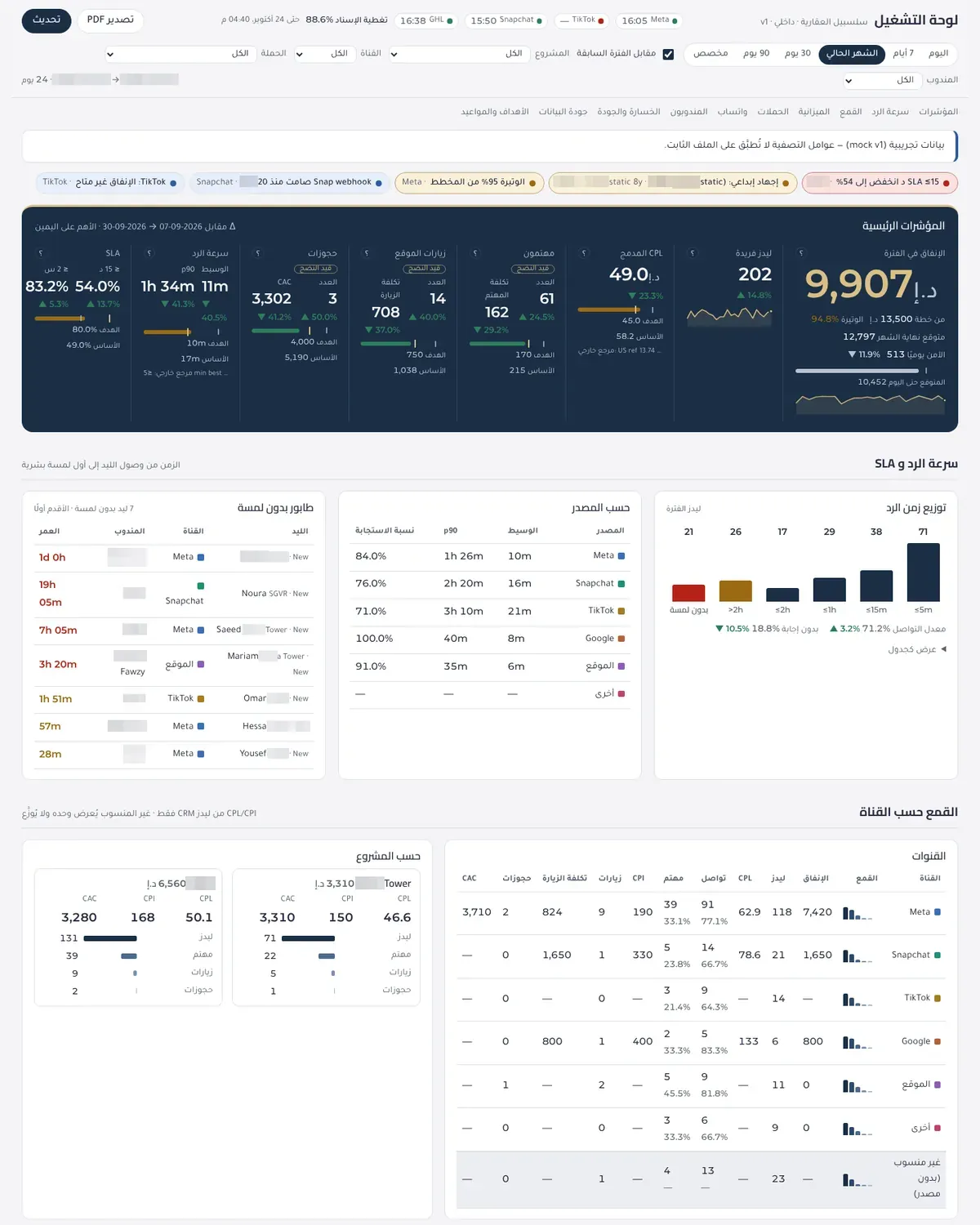
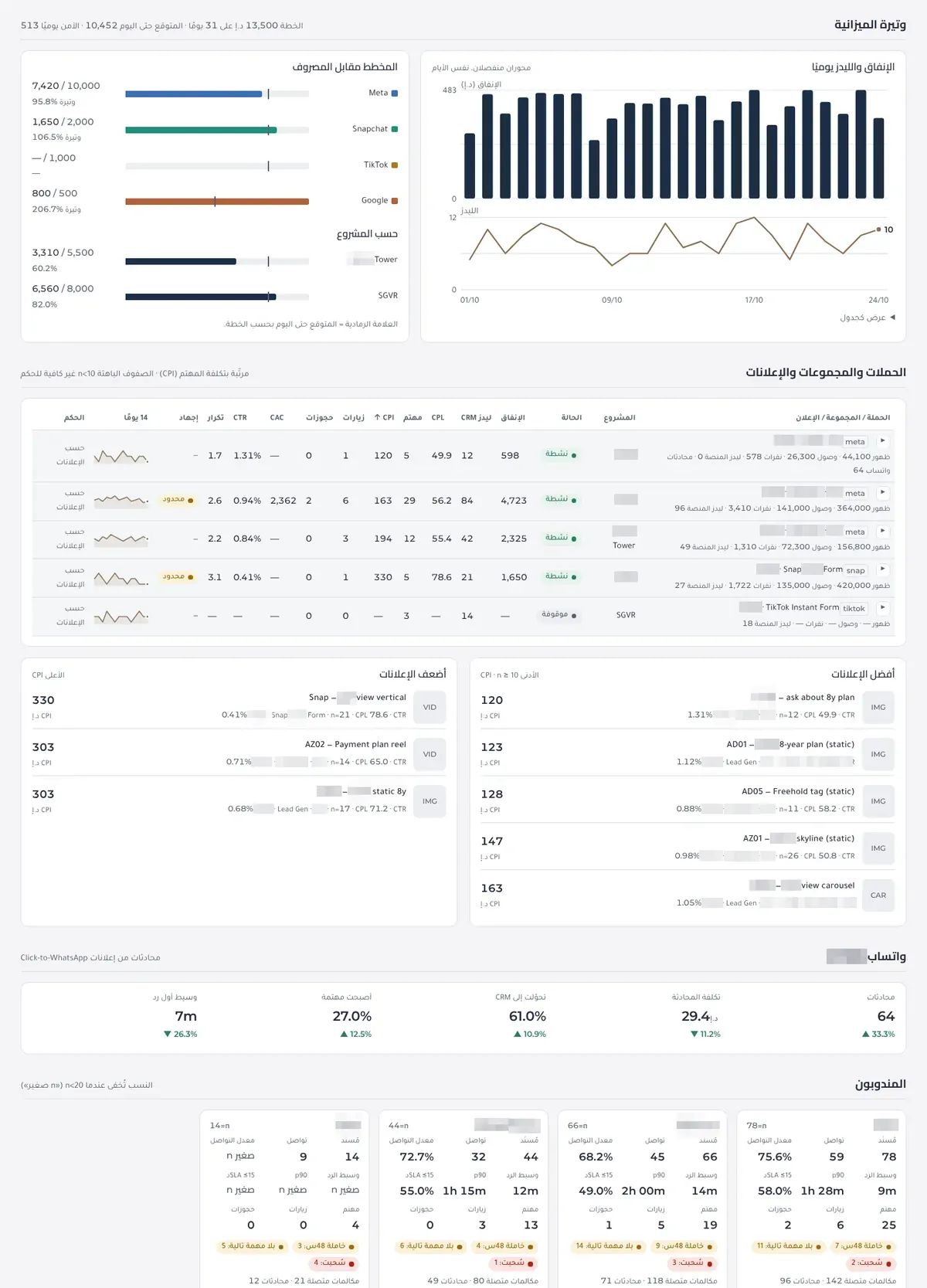
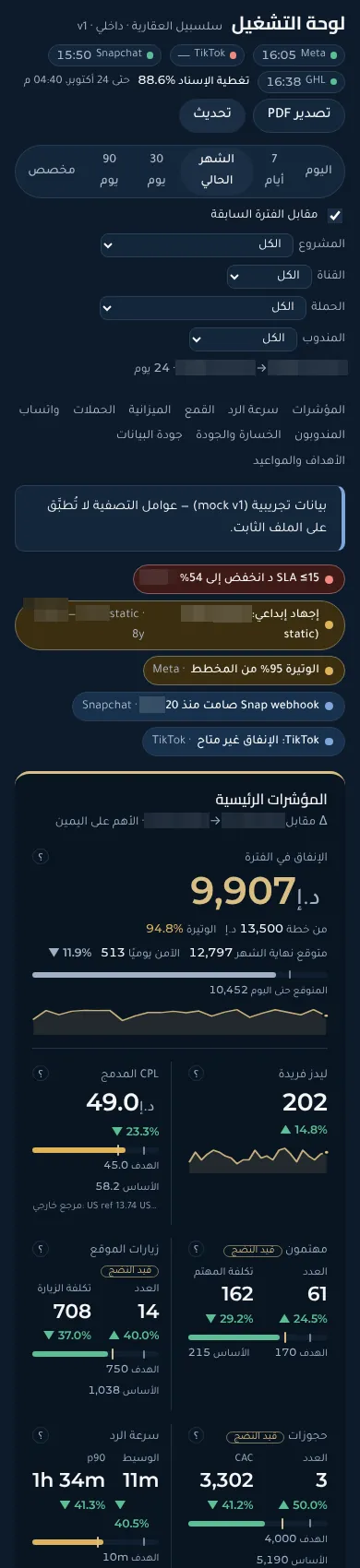
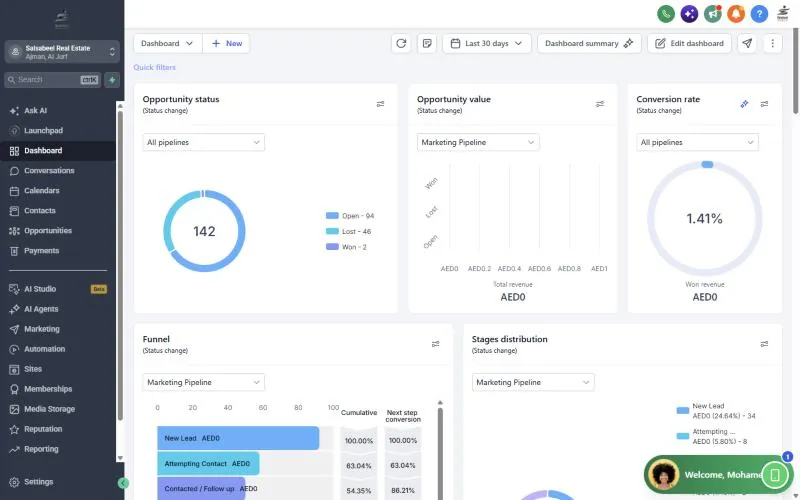
Reporting is built from the company’s own data, not agency benchmarks. The ops console reads a single summary endpoint (Worker → n8n) and renders marketing and sales end to end; the weekly email and per-rep reviews come from the same tables.
Ops console
Spend and pacing, unique leads, blended and Verified CPL, interested and visits, speed-to-lead buckets with a live no-touch queue, funnel by channel, budget pacing per channel and project, campaign → ad set → ad explorer, click-to-WhatsApp tiles, rep scorecards, lost reasons, data quality and targets. Login through Cloudflare Access.
Weekly KPI email
Monday 09:00: what moved and why (≥20% changes), what changed in the accounts (activity logs), pacing, week priorities, permit tracker and the A/B section.
Per-rep Monday review
Notes, stage changes, unanswered inbound, stuck leads and a score with tips, per salesperson, from CRM data only.
Monthly management report
Budget close-out, cost per interested lead, best campaign, spend vs plan and next-month plan parameters.
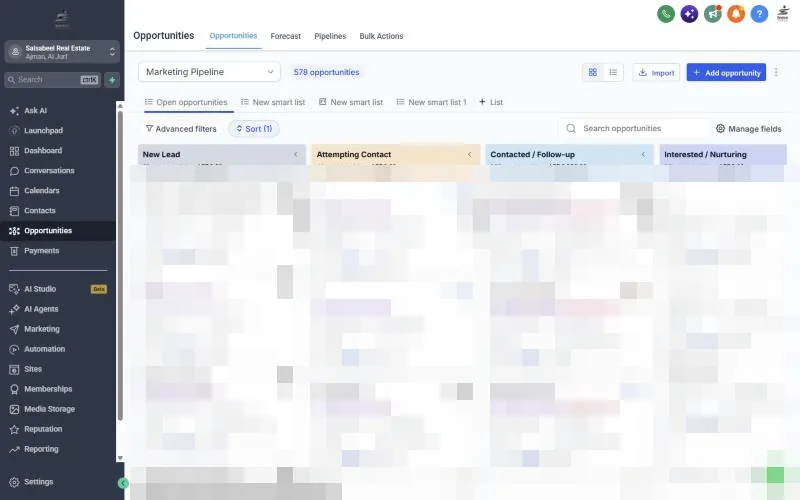
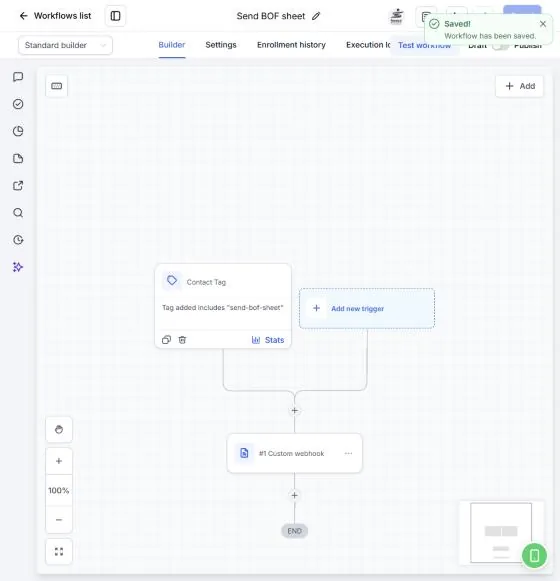
Inside the CRM
Want this for your projects?
The whole stack, or one piece of it. WhatsApp is fastest.